Let musicians find you.
A page with what you do and your area, in MOZIC's directory, with band inquiries in one place.
Free during early access. Sign in with Google.

What you do from the panel
The screenshots show an example workshop with made-up data.
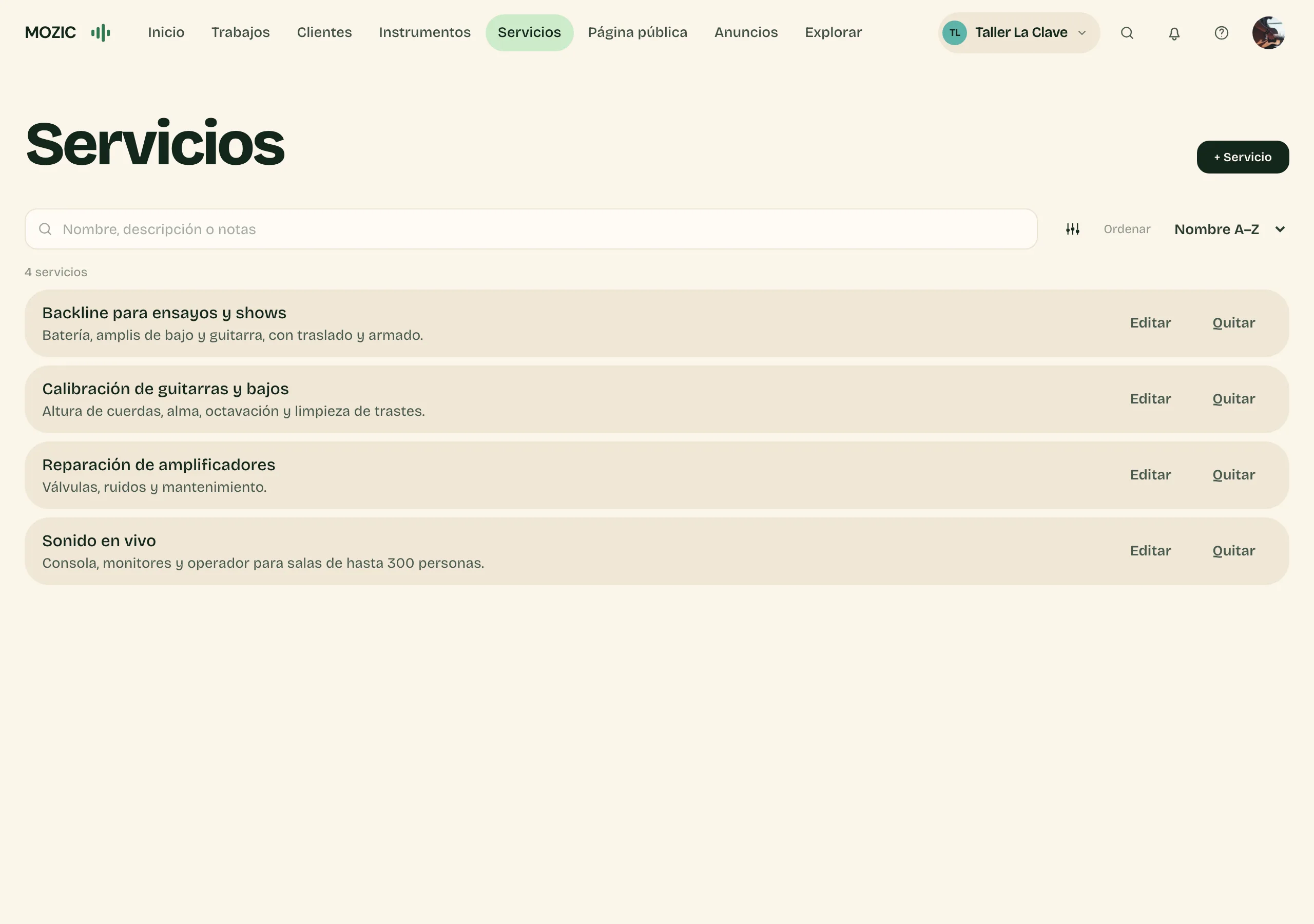
Your services
Add each service with what it includes. It's what a band sees on your page.
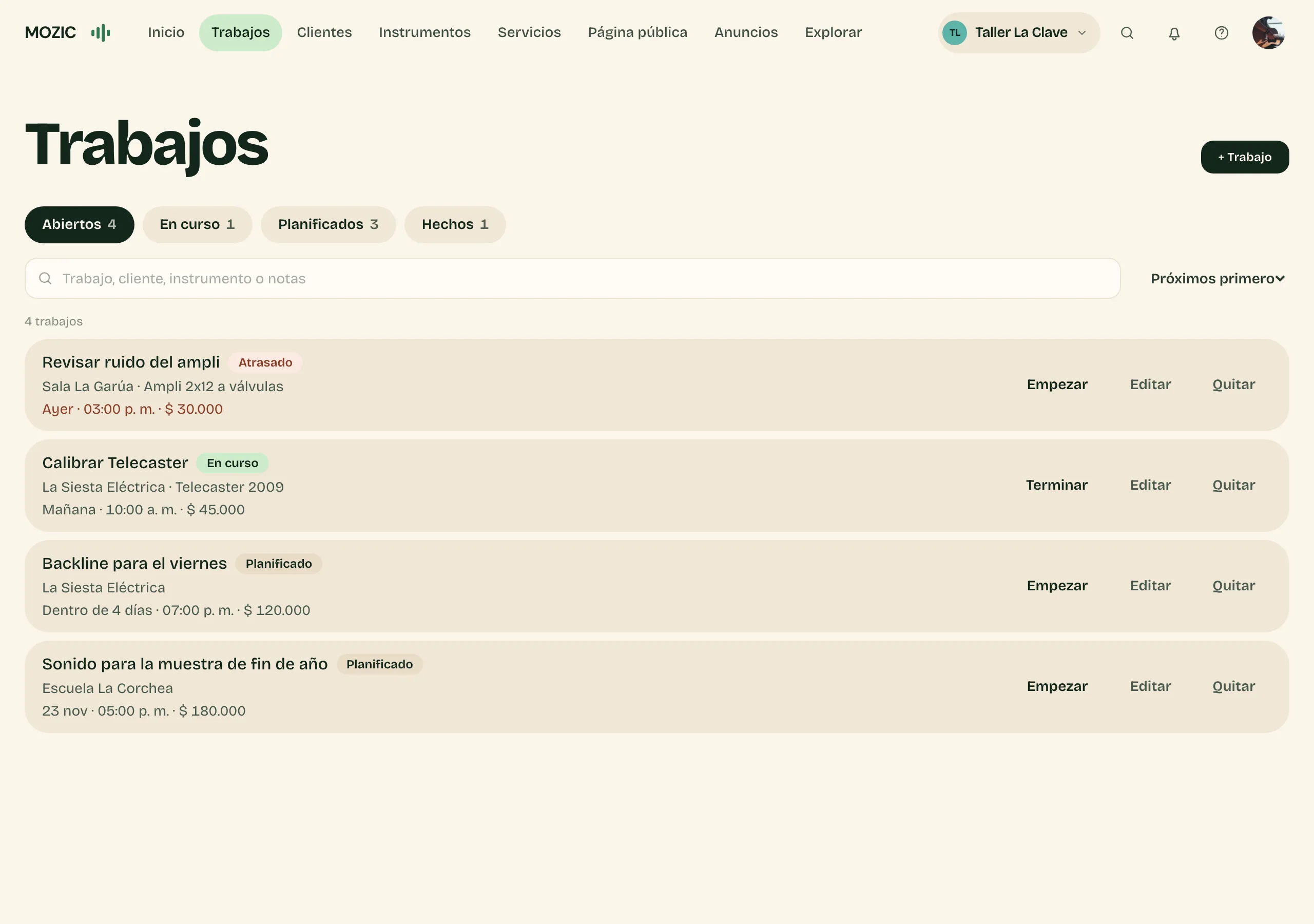
Jobs
Each job with its client, instrument, date and price. Open jobs come first, overdue ones are marked, and one tap starts or finishes a job.
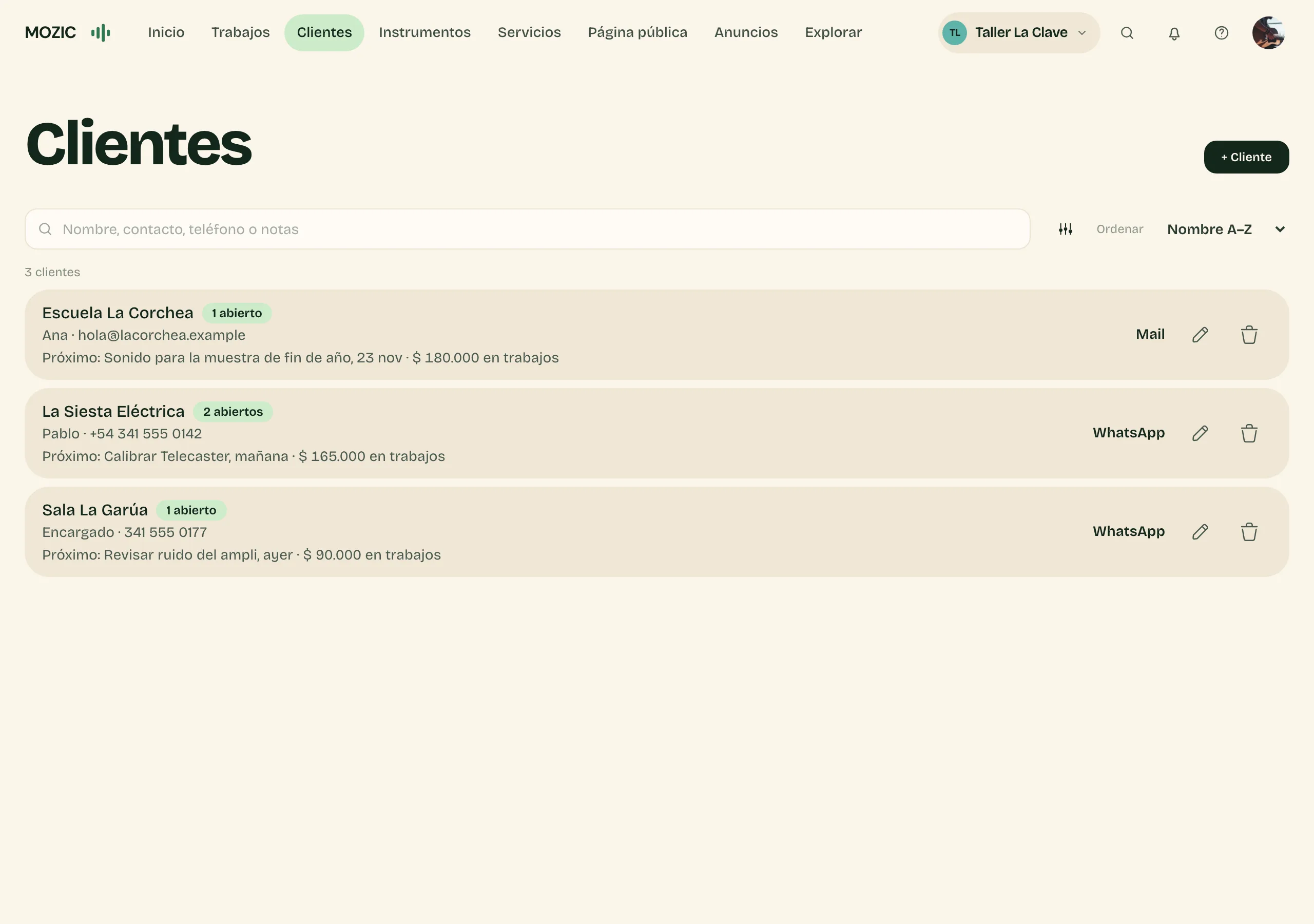
Clients
Each band, room or school with their contact, open jobs, the next one and what you've billed. Message them on WhatsApp or email from there.
How they find you
- A musician searches the directory by area or by what they need.
- They open your page and see your services.
- They send an inquiry and you reply.

And also
- Fitted to what you do
- Luthier, photography, make-up, sound or mixing: pick your field and MOZIC shows you only what your work uses. It's also how you show up in the directory.
- Inquiries
- What people send from your page reaches you in MOZIC: set its status, add notes and close it.
- Your page
- What you do, where you work and how to reach you, on a page with your name.
- In the directory
- Once you publish your page, you show up under Services.
- Your listing
- If there's already a listing for you in the directory, claim it and run it yourself.
- Instruments
- For luthiers, techs and backline: each instrument that comes into the workshop, with its owner and notes.

Shall we add your service?
Create your space with Google in a few minutes. We can help if you prefer.